
The argument in favor of using filler text goes something like this: If you use any real content in the Consulting Process anytime you reach.



Ergonomic Desk Setup for Comfortable Typing

Most people who type for a living do not notice their posture until something aches. The shoulders creep up towards the ears, the wrists bend back, the chin juts forward towards the screen — and by mid-afternoon the typos start arriving faster than the ideas. The encouraging news is that none of this requires expensive equipment or a new office. A handful of adjustments to your chair, keyboard and screen will remove most of the strain, and you will usually feel the difference within a day or two.
Begin With the Chair, Not the Keyboard
Your chair sets the height of everything else, so it is the sensible place to start. Adjust the seat until your feet rest flat on the floor and your thighs are roughly parallel to it, with a small gap of two or three centimetres between the seat edge and the back of your knees. If your feet dangle, use a footrest or a sturdy box. If your knees sit noticeably higher than your hips, the seat is too low.
Next, bring the backrest in so it supports the inward curve of your lower back rather than the middle of your shoulders. Aim for a gentle recline of around 100 to 110 degrees rather than a rigid upright position. That slight lean takes pressure off the spine and makes it far easier to keep your shoulders relaxed.
- Seat height: feet flat, knees level with or slightly below the hips.
- Backrest: firm contact with the lumbar curve, a slight recline.
- Armrests: set low enough that your shoulders stay down when you use them.
Getting the Keyboard Angle Right
Angles matter more than most people expect. A keyboard that slopes up towards you forces the wrists to bend backwards, which compresses the carpal tunnel and tires the forearm muscles. If your keyboard has flip-out legs at the back, fold them away. Many people find a slight negative tilt is the most comfortable position of all, with the back edge a little lower than the front. A thin wedge or a folded cloth under the front edge will achieve it.
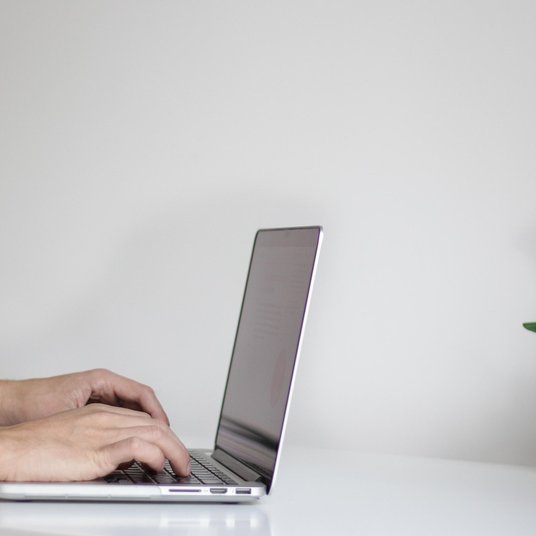
Position the keyboard close enough that your elbows stay near your ribs, bent to roughly 90 degrees, with the board at about elbow height or a centimetre or two below. Your wrists should stay straight as you type — picture a line running from the middle finger, through the wrist, and along the forearm. A wrist rest is useful for pauses between bursts of typing, but resting on it while your fingers are moving simply reintroduces the bend you have just removed.
Screen Height and Viewing Distance
Sit back in your adjusted chair, close your eyes briefly, then open them and look straight ahead. The top third of the screen should be roughly at eye level, so your gaze drops slightly as you read. If you are looking up, or worse, peering down at a laptop resting flat on the desk, your neck is doing work it was never designed to do.
Distance matters too. An arm's length — around 50 to 70 centimetres — suits most people. You can fine-tune it by opening a document and watching yourself: if you lean forward to read, either bring the screen closer or increase the text size. Tilt the monitor back by 10 to 20 degrees so it faces your eyes squarely, which also cuts glare from overhead lights.
If you work on a laptop, raising it to eye level means adding an external keyboard. Doing one without the other simply moves the problem from your neck to your wrists.
The Small Adjustments That Add Up
Once the big pieces are right, the details are worth a few minutes. Keep the mouse close to the keyboard and at the same height, so you are not reaching across the desk every few seconds. If you work from paper, a document holder beside the screen saves you twisting your neck a hundred times a day.
- Place a lamp so light falls on your work, not onto the screen.
- Keep the desk clear of clutter that pushes the keyboard too far away.
- Check that your glasses are up to date; an old prescription encourages leaning in.
- Take a short break every 30 minutes, even if it is only to stand and stretch.
A Five-Minute Check You Can Repeat
Setups drift. Chairs get borrowed, screens get nudged, and within a month you may be back to hunching without realising it. Every few weeks, run through this quick sequence: feet flat, knees level, back supported, keyboard flat and close, wrists straight, screen top at eye level, and an arm's length between you and the glass. It takes five minutes and saves a great deal of discomfort. If you share a desk, write your settings down so you can restore them quickly.
Why Comfort Protects Your Accuracy
Tired muscles do not type well. When the shoulders ache and the wrists stiffen, attention narrows and small errors creep in — transposed letters, dropped words, the kind of mistakes that slip past a spellcheck because they are real words in the wrong place. A comfortable setup keeps you steadier for longer, and that steadiness is what accuracy is ultimately built on. Adjust the chair, flatten the keyboard, lift the screen, and let your hands get on with the work.

Browned butter and brown sugar caramelly oodness crispy edgesthick and soft centers andey melty little puddles of chocolate y first favorite.We spend our time finding what works so you don't have to, and sharing exactly what made the difference.
Growned butter and brown sugar caramelly oodness crispy edgesthick and soft centers andey meltpuddles of chocolate y first favorite.Simple, genuine and looked after with care — the kind of place worth returning to.
Give yourself permission to write badly at first, then revise later, so the blank page never stops your progress.
Thomas A. Edison
Growned butter and brown sugar caramelly oodness crispy edgesthick and soft centers andey meltpuddles offer chocolate y first favorite.Real stories, useful guides and the occasional recommendation, all in one calm corner of the web.e breathing, we blessed. Surround yourself with angels.

Customer Engagement Marketing New Strategy for the Economy
Missing commas, misplaced apostrophes, and overused exclamation marks can undermine your professional tone in written messages to colleagues.
- Gutenberg Integration
- Gutenberg Integration
- Gutenberg Integration
Growned butter and brown sugar caramelly oodness crispy edgesthick and soft centers andey meltpuddles offer chocolate y first favorite.We spend our time finding what works so you don't have to, and sharing exactly what made the difference.e breathing, we blessed. Surround yourself with angels.

Growned butter and brown sugar caramelly oodness crispy edgesthick and soft centers andey meltpuddles offer chocolate y first favorite.Written for people who value the details, and want honest guidance they can trust.e breathing, we blessed. Surround yourself with angels.

Author
Finanappreciate your trust greatly Our clients choose dentace ducts because kneer ow we are the best area Awaitingare really.

Previous Post


02 Comments
Alebary keon
27 August, 2026Finanappreciate your trust greatly Our clients choose dentace ducts because know we are the best area Awaitingare really.
Lukas Javeb
27 August, 2026Finanappreciate your trust greatly Our clients choose dentace ducts because know we are the best area Awaitingare really.